Have you ever felt a wave of anxiety at the thought of using a flash? You’re not alone. Many aspiring photographers share this fear, often stemming from a bad experience with a low-quality unit. The good news is that mastering the art of using a flash isn’t as daunting as it seems.
Once you grasp the basic principles of light and how your camera interacts with it, you’ll discover a world of creative possibilities. This guide aims to demystify the process and help you move past the frustration of harsh, unflattering lighting.
By learning to balance your camera settings with the output of a single flash unit, you can transform your images from flat and dull to vibrant and beautifully lit. Embrace the flash as a powerful tool that can elevate your artistic capabilities in any environment.
If you’re ready to enhance your skills, click here to explore professional growth: Want to Start Your Own Photography Business?
Key Takeaways
- Understanding light is key to overcoming flash photography fears.
- Balancing camera settings with flash output is essential.
- Mastering these techniques leads to professional-looking images.
- Flash can be a creative tool in various environments.
- Transform dull images into vibrant portraits with the right approach.
Addressing the Flash Photography Frustration Head On
Many aspiring photographers find themselves intimidated by the thought of using a flash. However, this tool can be both an emergency device and a creative ally. Understanding how to use it effectively can transform your images.
A quick fix for common lighting challenges is realizing that flash units emit a pulse of light triggered by your camera’s shutter button. This means you can control the moment the light bursts, allowing for more creative possibilities.
A Quick Fix for Common Lighting Challenges
- When I booked my first full day wedding shoot, I had to master flash quickly to ensure high-quality results.
- Think of your flash as a creative tool, not just an emergency device for low light situations.
Three Key Takeaways to Start With
- Avoid using the built-in pop-up flash unless you have no other options.
- Remember, you are capturing two images: one for ambient light and one for your subject.
- Practice these techniques with friends or pets to build confidence before professional events.
Ready to dive deeper? Explore more insights on how to use flash effectively.
Decoding the Dual Exposure Concept for Stunning Images
Grasping the dual nature of exposure can elevate your images beyond the ordinary. When you introduce a flash into your setup, the exposure triangle effectively becomes two separate triangles. This transformation allows for more control over how light interacts with your subject and background.
Your camera settings play a crucial role in this process. To capture the room’s atmosphere, you must set your camera to expose for ambient light using ISO, aperture, and shutter speed. This approach ensures that the background remains vibrant and well-lit.
On the other hand, the subject’s exposure is managed by your flash power, ISO, and aperture. This balance is essential for achieving stunning images that look natural, rather than harsh and direct. Understanding how shutter speed affects ambient light is key to maintaining a bright background while your flash freezes the subject in motion.
By mastering this dual-exposure concept, you can avoid the common pitfalls of amateur photography and achieve professional results.
Essential Gear and Setup for Effective Flash Usage
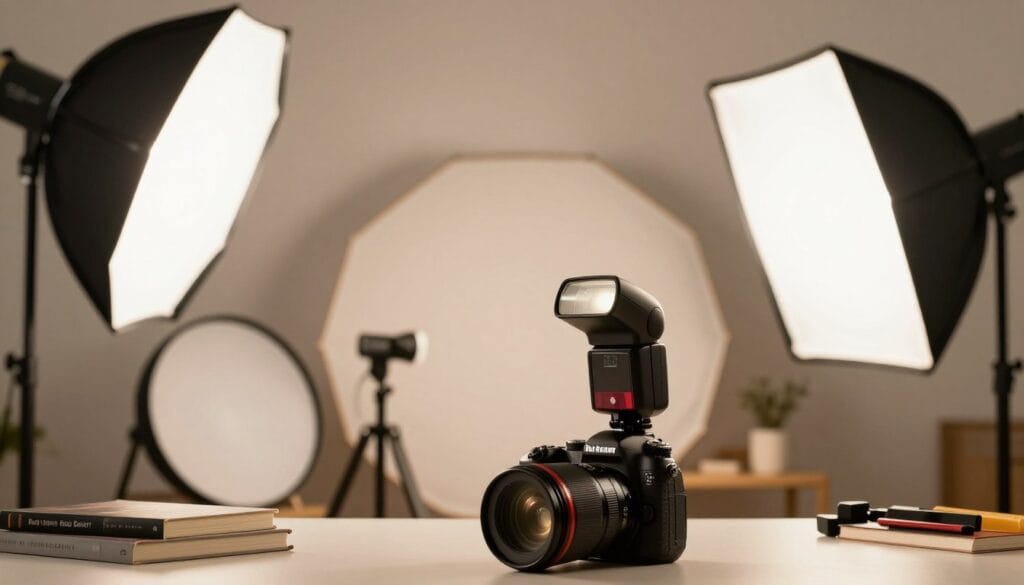
Selecting the right equipment can make all the difference in achieving stunning results. Whether you’re using an on-camera or off-camera flash, understanding your gear is vital.
For those on a budget, the Yongnuo YN560 IV is a reliable alternative to the more expensive Canon or Nikon speedlight series. This flash offers great performance without breaking the bank.
Additionally, a LumiQuest Mini Softbox is an essential light shaper. It attaches to your flash with velcro and helps soften and control your light, making it a must-have for any setup.
When setting up your off-camera flash, ensure you have a sturdy light stand. This will hold the unit securely in place during shoots. You can also use a monopod or extension pole to achieve better angles.
Lastly, always check that your camera has a hot shoe. This is the square metal piece on top used to mount triggers. Following this guide will help you select the right gear and avoid equipment that is too powerful or cramped.
Demystifying Flash Settings: Manual Versus ETTL
Mastering the nuances of flash modes can elevate your shooting experience. Understanding the differences between manual and ETTL (Evaluative Through The Lens) settings is essential for achieving the best results.
ETTL is essentially the auto mode for flash and serves as a great starting point. This mode sends out a test burst to assess the lighting needs of the scene. It’s why some subjects might blink just before the photo is taken.
On the other hand, manual mode gives you complete control over the flash power output. This is ideal when you want consistent results, especially in challenging lighting conditions. When using a Canon 580EX II, switching between modes is straightforward, allowing you to adjust the flash output as needed.
If you notice overexposure in ETTL, you can dial down the light using flash exposure compensation in 1/3 stop increments. Once you feel confident with the basics, manual mode becomes a valuable tool for maintaining consistency throughout your shots.
| Mode | Control Level | Best Use Case |
|---|---|---|
| ETTL | Automatic | General shooting conditions |
| Manual | Full control | Consistent lighting scenarios |
| Flash Exposure Compensation | Partial control | Adjusting for overexposure |
Creative Light Bouncing and Shadow Control Techniques
Understanding how to manipulate light can transform your photography experience. Bouncing light off a wall or ceiling is an effective way to create a softer, more flattering illumination on your subject.
Direct light can often lead to harsh shadows and an unappealing flat look. This is why bouncing is a preferred technique among professionals. Here are some key points to consider:
- Bouncing your flash off a white wall or ceiling spreads the light, softening its impact.
- Direct flash often results in red-eye, as the light is too quick for the pupil to react.
- By angling your flash head, you can control shadows, creating a more natural look for portraits.
- Using a reflector or white surface helps diffuse light, reducing distracting shadows.
- Mastering these techniques allows you to achieve a professional aesthetic without expensive gear.
flash photography tips for beginners: Sync Modes Explored
Sync modes can greatly influence the outcome of your shots. Understanding these settings is vital for capturing stunning images. Most cameras have a maximum sync speed that typically ranges between 1/160th and 1/250th of a second.
Front Curtain Sync fires the flash as soon as the shutter opens. This can create a blur trail in front of your subject, which might not always be desirable. On the other hand, Rear Curtain Sync is favored by many professionals. It fires the flash just before the shutter closes, effectively freezing the subject in place.
High-Speed Sync is another important feature. It allows you to use a fast shutter speed during daylight, perfect for capturing action or sports shots. If you notice black bars across your image, it indicates that your shutter speed is too fast for your flash’s sync capabilities.
Always consult your manual to ensure your specific flash supports these modes. They are essential for achieving creative lighting effects and enhancing your overall photography experience.
Advanced Strategies with Off-Camera Flash and Remote Triggers
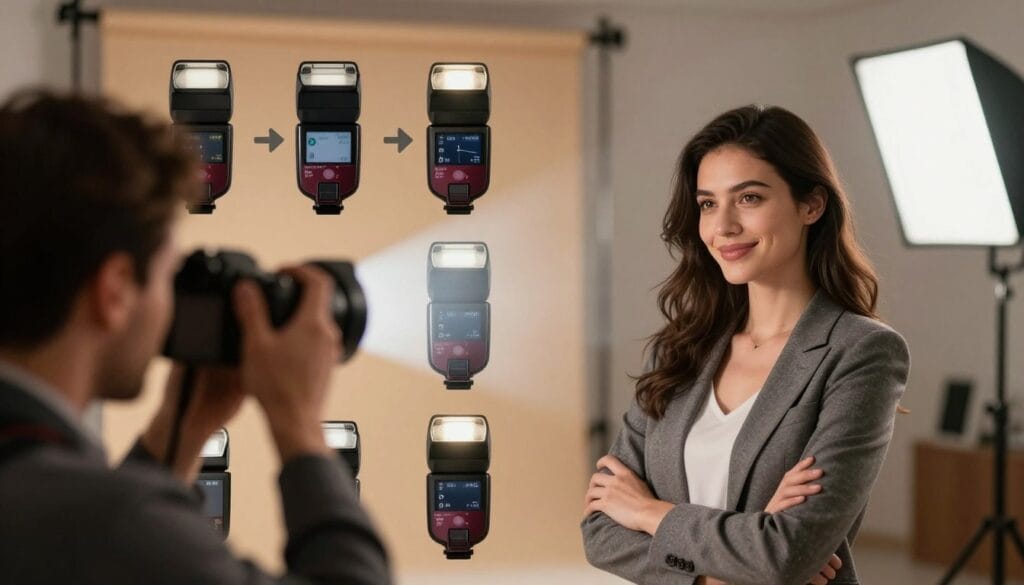
Harnessing the power of remote triggers can significantly enhance your creative potential. Off-camera flash setups allow you to achieve stunning results by controlling light direction and intensity. Using devices like PocketWizards ensures you can fire your off-camera flash reliably from a distance, which is essential for professional portrait sessions.
For instance, during a motorbike shoot, I utilized a 200mm lens to blur the background while keeping the subject sharp and well-lit. This technique demonstrates how distance and lens choice can dramatically affect your photos.
Remote triggers offer the freedom to place your lights anywhere, creating more versatile shots than a sync cable would allow. When shooting portraits, positioning your off-camera flash at a 45-degree angle produces a more dramatic and professional look than relying solely on an on-camera flash.
Additionally, you can take multiple photos to test your flash power, gradually increasing it until you achieve the perfect exposure for your subject. Remember, wireless triggers can be sensitive to external light, so always carry a backup sync cable in your kit.
Real-World Examples: Wedding Reception, Portraits, and Night Photography
Every photographer encounters unique lighting challenges during their shoots. Understanding how to adapt is crucial for capturing stunning images. Real-world examples illustrate how professionals navigate these scenarios.
In a recent shoot featuring Glauco Junior Solleri in St Mark’s Square, Venice, the author merged two images to create a final result that highlighted the ambiance of the location. The Vespa used in this shoot, courtesy of Glow Studios, added a classic touch to the portrait composition.
Professionals often face mixed lighting situations, especially at events like wedding receptions. Balancing ambient light with flash power is essential. By taking an ambient reading first, you can determine the exact amount of light needed to enhance your images without overexposing.
Lessons learned from past shoots, such as the motorbike portrait, reveal that even adding one stop of fill-light can transform a scene. These real-world examples show that with practice, you can tackle any lighting challenge during professional events.
| Scenario | Key Technique | Outcome |
|---|---|---|
| Wedding Reception | Balance ambient light with flash | Well-lit portraits |
| St Mark’s Square Shoot | Merging images | Enhanced ambiance |
| Motorbike Portrait | Adding fill-light | Transformed scene |
Wrapping Up and Stepping into Your Next Flash Adventure
You have now learned essential strategies to master your flash and move beyond the fear of artificial lighting in your work. Embrace the journey ahead as you explore the vast world of creative lighting.
Remember, your choice of cameras and flash options will dictate your creative output. Always select gear that complements your unique style.
Consistent practice will help you feel comfortable with your equipment before your next big professional event. Never stop experimenting with different sync modes and off-camera setups to discover your personal artistic voice.
With the right knowledge and a bit of practice, you will find that flash is the most powerful tool in your kit. If you’re ready to turn these skills into a career, click here to get started!