

Establishing a solid foundation for your digital image management is crucial. Just like building a house, it requires a strong base. If you are new to this journey, you have a unique advantage. You can set up your system correctly from the start.
Many photographers struggle with lost files and stress due to a lack of organization. A clear system can prevent these common issues. By planning your entire process before you begin, you can avoid mistakes that lead to data loss and wasted time.
This guide offers essential strategies to help you organize your files effectively. From establishing a folder structure to ensuring backups, these insights will protect your valuable work. Remember, having a plan is key to success in managing your images.
Key Takeaways
- Establish a solid foundation for managing your images.
- Plan your system from the beginning to avoid stress.
- Organize your files to prevent data loss.
- Implement a clear folder structure for easy access.
- Ensure you have multiple backups of your important files.
Introduction to a Streamlined Photography Workflow
A well-structured approach to managing your digital images is essential. Efficiency in your workflow allows you to spend more time creating and less time searching for files. This is the cornerstone of a successful practice.
A solid foundation prevents disaster. A poorly planned system can lead to the total loss of your images if a hard drive fails. Treat your digital organization with the same care as your camera gear to keep your work safe and accessible.
Many professionals have learned the hard way that skipping the planning phase leads to significant headaches and the loss of valuable photo files. By implementing a structured approach, you can streamline your editing process and ensure that every single image is backed up and accounted for.
“An ounce of prevention is worth a pound of cure.”
To summarize:
- Plan your system to avoid stress and loss.
- Keep your images organized for easy access.
- Ensure backups are in place to protect your work.
For more insights on setting up your organization, visit this resource.
Defining Your Photography Goals and Workflow Needs
Defining what you want to achieve with your photos is the first step in organizing your workflow. Knowing your specific objectives helps you determine the complexity of the system needed to manage your growing collection.
Your shooting style greatly influences the volume of images you produce. This directly affects the storage and backup solutions you must implement for your work. If you are a high-volume shooter, your system needs to be robust enough to handle thousands of photos without slowing down your editing process.
Understanding your unique needs allows you to select the right software and hardware tools that will support your creative vision over time. Additionally, take the time to assess whether you are a hobbyist or a professional, as this will change how you approach your daily backup and organization.
- Define your specific photography goals to guide your workflow.
- Consider your shooting style to determine image volume.
- Ensure your system can handle high volumes efficiently.
- Select tools that align with your creative vision.
- Assess your status as a hobbyist or professional for better organization.
Essential Photography Workflow Tips For Beginners
Starting with a clear plan for your images can make all the difference in your workflow. Embracing the right mindset is essential for creating a smooth experience. Eric Allix Rogers emphasizes that adopting a proactive approach helps maintain a consistent and stress-free environment.
Here are some key considerations:
- Understand your unique needs: Don’t simply replicate what others do; their systems may not suit your style.
- Simplicity is key: Create a system that is easy to maintain yet robust enough to safeguard your important work.
- Plan ahead: Thinking through each step can prevent issues like duplicate images and lost files.
- Adapt over time: Your workflow should evolve as you gain experience and your photography needs change.
Planning and Mapping Out Your Workflow
A clear representation of your process can transform how you handle your photos. This visualization is crucial for creating an efficient system. Getting out a pen and paper to sketch a flowchart of your steps is a highly effective way to visualize your entire image management.
Mapping out your tasks helps you identify potential issues. You can see where you might run out of storage space or lose track of files. A clear flowchart ensures that you have a consistent way to handle your images from the moment you press the shutter until the final output.
By documenting your process, you can easily spot areas where you can save time and improve the efficiency of your daily editing tasks. Additionally, sharing your planned system with other photographers can provide valuable feedback. This way, you can ensure that your logic holds up under different shooting scenarios and conditions.
Choosing the Right Equipment and Storage Solutions
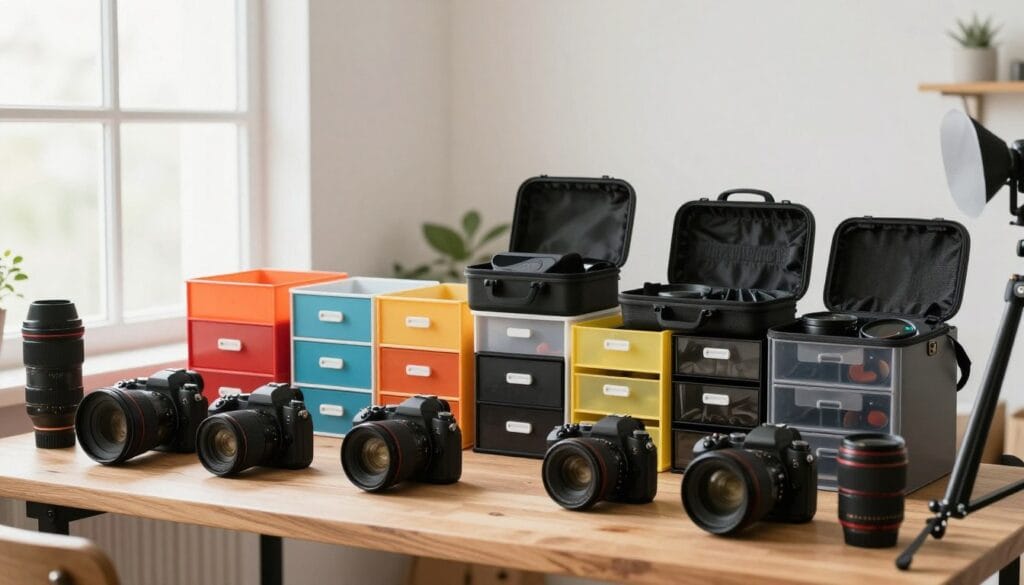
Selecting the right tools is vital for managing your images effectively. Your choice of equipment impacts not only your editing process but also the safety of your work. It’s essential to invest in reliable storage solutions to safeguard your photos.
When selecting an external hard drive, ensure you buy one with enough capacity to handle your images without needing an upgrade too quickly. As noted by fianlamb, you do not need four 8TB drives if you only shoot 3000 images a year, so choose your storage based on actual needs.
Investing in a reliable external hard drive is a critical step in protecting your work from the inevitable failure of your primary computer storage. Always purchase your equipment from a specialty computer store where staff can provide expert advice on the best drives for your specific needs.
Additionally, make sure you have enough memory cards to cover your longest trips. Consider the physical storage of these cards as part of your system to ensure you have everything organized.
Determining Your Image Format Preferences
Choosing the right image format is a key decision that affects both the quality of your images and the efficiency of your editing process. Understanding the differences between formats like RAW and JPEG can help you make an informed choice that suits your needs.
Shooting in RAW captures the maximum amount of data, giving you greater flexibility during editing. This format allows for better adjustments in white balance and exposure, which is essential for achieving your desired look. However, it requires more storage space and processing power.
On the other hand, JPEG is often favored for its smaller file size and quicker saving time, making it ideal for high-speed shooting. This format, however, commits you to the camera’s internal processing, which limits your editing options later.
“Choosing the right format can make or break your editing experience.”
To summarize, consider the following:
- RAW offers superior quality and editing flexibility.
- JPEG is efficient for quick shooting but limits post-processing.
- Assess your storage capacity when deciding on formats.
| Format | Quality | File Size | Editing Flexibility |
|---|---|---|---|
| RAW | High | Large | Excellent |
| JPEG | Medium | Small | Limited |
Managing Memory Cards and Preventing Data Loss
Properly managing your memory cards is a fundamental step in safeguarding your images. Keeping your cards organized helps you avoid accidental data loss, which can be a nightmare for any photographer.
To streamline your process, consider these strategies:
- Use a dedicated memory card holder: This essential step in your system keeps your cards organized and reduces the risk of losing files.
- Label your cards: Place cards label-up when ready to use and label-down when full. This simple system helps you track which images are saved.
- Avoid the “delete all” function: Instead, format the card for a clean slate, ensuring a safer way to prepare for future shooting.
- Verify backups: Always check that your images are safely backed up on your computer before clearing your memory cards.
- Travel smart: If you’re on the go, use a pill dispenser to keep track of your cards for each day of your trip.
“An ounce of prevention is worth a pound of cure.”
Efficient Image Ingestion and Backup Methods
Streamlining the process of importing and backing up your images is vital for maintaining a secure workflow. By adopting effective methods, you can protect your valuable files and save time during your editing process.
Utilizing a high-quality USB card reader is a great first step. It is much faster and safer than connecting your camera directly to the computer, which can drain your battery. Additionally, automated software can help you ingest your images while creating backups simultaneously, ensuring that your data is protected from the very first step.
Utilizing Card Readers and Automated Software
Using card readers not only speeds up the process but also minimizes the risk of data loss. Make sure to select a reliable reader that suits your needs. This way, you can efficiently transfer files to your computer without hassle.
Implementing a 3-Copy Backup System
Implementing a 3-copy backup system is the most effective way to protect your images, as hard drives will eventually fail over time. Always make sure you have at least three copies of your files, including one stored in a different physical location, like a bank safety deposit box. As seen with the three people in the city who lost their homes to fire, having an off-site backup is critical for any serious photographer.
“An ounce of prevention is worth a pound of cure.”
Developing and Organizing Your File Structure
Creating a solid file structure is essential for managing your images effectively. A well-organized system ensures you can quickly find your files, no matter how long you’ve been shooting. This organization is vital to maintaining efficiency and reducing stress in your editing process.
Start by creating a hierarchical folder system. Organize your folders by category or date to keep your main drive clean. This approach prevents your list of files from becoming overwhelming. Consistency in your folder naming convention is crucial. It allows you to search for specific shoots or trips without wasting time.
Storing your images on an external drive is another smart move. This practice keeps your main computer drive fast and prevents performance issues. A well-organized folder system enables you to quickly locate any specific photo, which is vital when working with a large volume of images.
“An organized file structure is the backbone of a successful editing process.”
- Create a hierarchical folder structure to find images easily.
- Organize folders by category or date to reduce clutter.
- Maintain a consistent naming convention for efficiency.
- Use an external drive to keep your main system running smoothly.
- A well-structured system allows quick access to specific photos.
Streamlining the Download Process
Efficiently downloading your images is a vital step in your overall system. Choosing the right software can save you significant time and help avoid the frustration of dealing with corrupted files. In fact, a poor experience during this step can lead to costly mistakes.
During a trip to Europe in 2011, a card reader failure resulted in the loss of images. This unfortunate incident cost $650 to recover just 1,000 files from the damaged card. Such experiences highlight the importance of a reliable import process.
Make sure you select software that can rename your files and add metadata during the import process. This feature keeps your system organized and enhances your editing workflow. Additionally, avoid downloading directly from your camera, as spontaneous ejections can lead to errors and the potential loss of your precious images.
Regularly testing your card reader and software is essential. Ensure they function correctly before heading out on important shoots. This precaution can save you from future headaches.
- Choose software that minimizes time spent on imports.
- Utilize tools that rename files and add metadata automatically.
- Avoid direct downloads from the camera to prevent errors.
- Test your equipment regularly to ensure reliability.
| Step | Action | Benefit |
|---|---|---|
| 1 | Select reliable software | Saves time and prevents data loss |
| 2 | Avoid direct camera downloads | Reduces risk of corruption |
| 3 | Test card readers | Ensures functionality |
Edit Workflow: From Basic Adjustments to Advanced Techniques
Editing your images effectively is a crucial part of enhancing their visual appeal. This process involves both basic adjustments and advanced techniques that can elevate your work.
Mastering global adjustments like white balance and exposure is the first step in creating a perfect negative before moving to creative edits. Using presets can save you a lot of time, allowing you to apply consistent adjustments to your images with just one click of a button.
Global Adjustments and the Role of Presets
These global edits lay the foundation for your images. They ensure that your photos have a consistent look and feel, which is essential for maintaining a cohesive style.
Local Edits Using Brushes and Filters
Local editing tools, such as the brush and radial filter, allow you to make precise changes to specific areas of your photo without affecting the whole image. For example, you can use a graduated filter to darken a bright sky while keeping the foreground exposure perfectly balanced for a professional look.
Always keep your editing process non-destructive by using layers or virtual copies. This approach ensures you can revert to the original file if you change your mind.
Integrating Post-Processing Software Into Your Workflow
Incorporating effective post-processing software is essential for refining your images. By leveraging both Lightroom and Photoshop, you can enhance your editing process significantly. Lightroom excels in organizing your files, while Photoshop is ideal for complex retouching tasks.
When you send an image from Lightroom to Photoshop, the changes automatically reflect in your catalog. This seamless integration keeps your system efficient and organized. It’s a powerful combination for any photographer needing advanced edits while maintaining a clean file structure.
For example, you can use Lightroom for your initial white balance and exposure adjustments. Then, transition to Photoshop for detailed cloning or compositing. By using these tools together, you can achieve a professional style that is hard to replicate with just one application.
Optimizing Metadata and File Naming Conventions
Creating a systematic way to name your files will streamline your editing process and save you time. Consistent file naming is a critical step in ensuring that you can retrieve any image from your collection in seconds rather than hours.
Including relevant metadata such as copyright information and keywords during the import process makes your files searchable and well-documented. By using a logical naming structure, you can easily identify the date, location, and camera used for every single photo in your archive.
For example, naming your files with a date and event description ensures that your folder structure remains organized as your collection grows. Taking the time to optimize your metadata will pay off in the long run, as it makes your work much more professional and easier to manage.
- Consistent file naming: Retrieve images quickly.
- Relevant metadata: Enhance searchability.
- Logical naming structure: Identify details easily.
- Example naming: Use date and event for organization.
- Optimize metadata: Improve professionalism.
| Step | Action | Benefit |
|---|---|---|
| 1 | Establish naming conventions | Enhances retrieval speed |
| 2 | Include metadata | Makes files searchable |
| 3 | Use logical structures | Facilitates organization |
Practical Tips for Maintaining an Organized Workflow
Regular maintenance of your digital organization can prevent headaches in the future. Performing routine audits of your file system is essential, especially after your transition to digital in 2004. Set aside time each day or week to clean up your folders, delete duplicates, and ensure that all your images are properly backed up.
A well-maintained system prevents the accumulation of clutter. This clutter can slow down your computer and make it difficult to find your best work. Additionally, using the “format” function in your camera helps clean your memory cards. This practice not only prevents errors but also extends the life of your equipment.
By staying disciplined with your clean-up strategies, you can focus on your photography instead of worrying about the state of your digital files.
Learning From the Experts and Adapting New Techniques
Gaining insights from seasoned professionals can significantly enhance your image management skills. Learning from experts is a vital step for any photographer, as it helps you refine your approach and adopt more efficient techniques.
Carrying 256GB of cards in ThinkTank Pixel Pocket Rockets is a professional habit. This ensures you are always prepared for any shooting situation that may arise. Remember the 10% rule: only a small fraction of your images make it into your final portfolio, so be self-critical with your work.
Taking classes or seeking advice from experienced photographers can help you identify the tools and adjustments that will best serve your specific needs. Always be open to adapting your workflow as new software and techniques emerge. This flexibility ensures that your process remains modern and highly effective.

Enhancing Your Workflow With Advanced Tools and Plugins
Integrating advanced tools into your image management can elevate your entire process. Utilizing software like NextGEN Gallery can automate the sharing of your images online, making it easier than ever to showcase your work.
Lightroom Classic is another powerful tool that helps you manage your entire collection. This software allows you to sync your images directly with your website gallery, ensuring that your online presence is always up-to-date.
By integrating these plugins, you can save time on manual uploads. This efficiency means your online gallery will consistently reflect your latest and best work.
These advanced tools are designed to meet the needs of professional photographers. They provide a streamlined way to showcase images to clients, allowing you to focus on your creative work while the software handles the technical aspects of your gallery.
Conclusion
Creating a reliable system for managing your images is essential for any serious artist. Developing a consistent approach is the most important step you can take to save time and reduce stress in your creative practice.
By organizing your files and implementing a reliable backup system, you protect your work and ensure that your images are always safe. Remember that every photographer has a unique process, so feel free to adapt these strategies to fit your specific needs and shooting style.
Consistent practice and routine audits will help you maintain an efficient system that supports your growth as a professional. Stay focused, Ray Baker.