

You’ve spent thousands on camera gear. Your portfolio looks brilliant. But when someone in your town searches “photographer near me,” your name doesn’t appear. Meanwhile, photographers with average work are booking clients left and right. Frustrating, isn’t it?
The solution is simpler than you think. Setting up your google business profile for photographers properly takes about thirty minutes. Once done, you’ll start appearing in local search results where potential clients are actually looking. No expensive advertising required.
I’ve watched hundreds of photographers transform their booking rates by mastering this one free tool. Some doubled their inquiries within weeks. The difference between invisible and discoverable often comes down to a properly optimized profile.
Quick Answer
A Google Business Profile helps photographers appear in local search results when potential clients search for photography services nearby. It displays your business name, phone number, website, photos, reviews, and location on Google Search and Maps. Setting up takes thirty minutes, costs nothing, and can dramatically increase local visibility. Complete your profile fully, add high-quality images, encourage client reviews, and post regular updates to maximize results. Most photographers see increased inquiries within the first month of optimization.
5 Key Takeaways
- Your Google Business Profile appears when people search “photographer near me” or similar local queries, making it essential for attracting nearby clients
- A complete profile with accurate business information, professional photos, and regular posts ranks higher in local search results than incomplete listings
- Client reviews directly impact your visibility and credibility, with photographers having 20+ reviews typically ranking above those with fewer
- Regular posts and updates signal to Google that your business is active, improving your position in search results over time
- The profile integrates with Google Maps, allowing potential clients to find your studio location and contact you with a single click
Why Every Photographer Needs a Google Business Profile
Local search has transformed how people find photographers. When someone searches Google for photography services, the first results they see aren’t traditional websites. They’re Google Business Profiles with photos, reviews, and contact information displayed prominently.
Think about your own behavior. When you need a plumber or restaurant, you probably search on your phone and call someone from the map results. Your potential clients do exactly the same when searching for photographers.
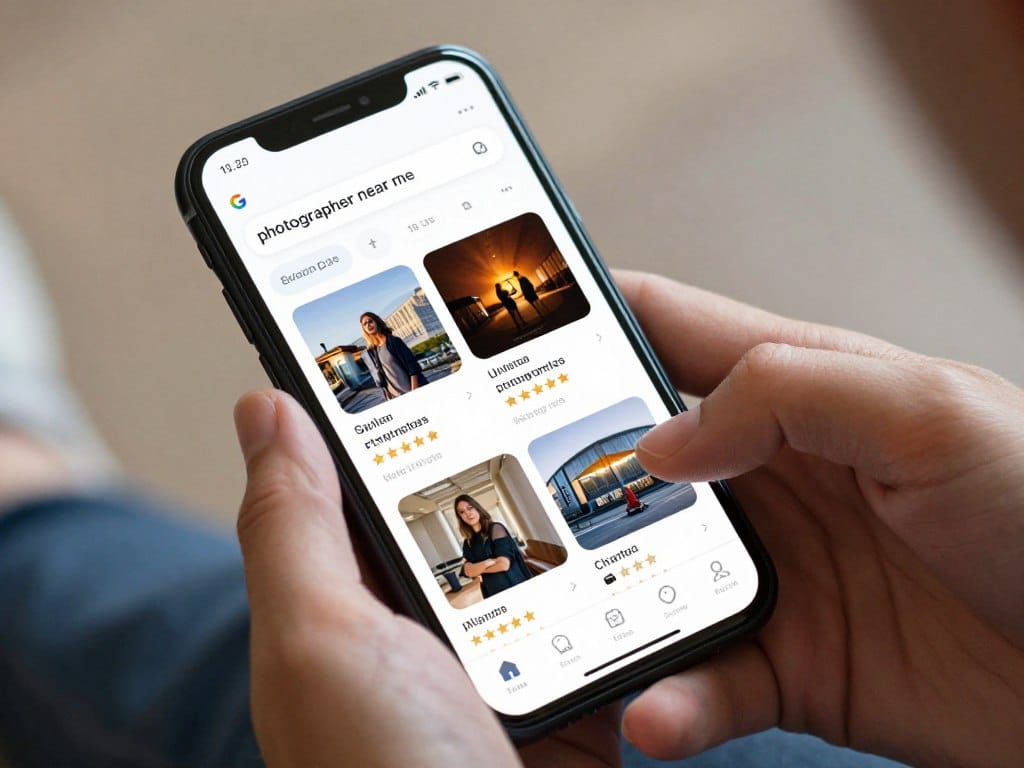
The numbers tell the story. Research from BrightLocal shows that 87 percent of consumers use Google to evaluate local businesses. For photography services, that percentage climbs even higher because people want to see your work before contacting you.
Your Google Business Profile serves as your digital storefront. It works around the clock, appearing whenever someone in your area searches for photography services. While you sleep, it’s showing your portfolio to potential clients and collecting inquiries.
The profile also builds trust instantly. When people see your reviews, response time, and professional photos all in one place, they feel confident reaching out. Without it, you’re invisible to the majority of people actively searching for photographers right now.
How Local SEO for Photographers Actually Works
Google wants to show the most relevant results to people searching for services. When someone types “wedding photographer” into their phone, Google’s algorithm considers hundreds of factors to decide which businesses to display first.
Distance matters significantly. Google prioritizes photographers closer to the searcher’s location. But proximity isn’t everything. A photographer ten miles away with a complete profile and excellent reviews will outrank a closer photographer with minimal information.
Your profile completeness affects your ranking directly. Business listings with photos, accurate hours, detailed descriptions, and regular updates consistently appear higher in search results. Google rewards businesses that provide comprehensive information to searchers.
Reviews play a massive role. The quantity and quality of client reviews signal to Google that people trust your services. Photographers with recent positive reviews typically rank above those with older or fewer reviews, even when other factors are similar.
The content you post matters too. Regular updates, recent photos, and responses to reviews tell Google your business is active and engaged. Inactive profiles gradually sink in rankings while active ones maintain visibility.
Setting Up Your Photography Google Business Profile Step by Step
Creating your profile requires accuracy and attention to detail. One incorrect piece of information can prevent potential clients from reaching you, so take your time with each step.
Claiming and Verifying Your Business
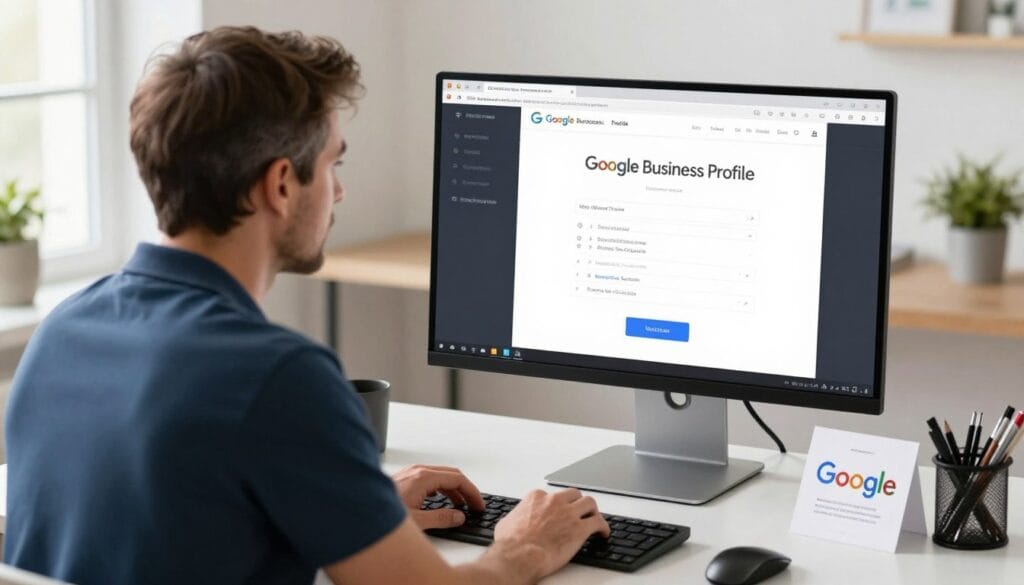
Start by searching Google for your business name and location. If a listing already exists, you’ll need to claim it. Sometimes previous owners or Google itself creates listings automatically from web data.
Visit google.com/business and sign in with the Google account you want to manage the profile. This should be an email address you check regularly, as Google sends important notifications to this account.
Enter your business name exactly as you want it to appear. Avoid keyword stuffing like “Best Wedding Photographer in Chicago.” Use your actual business name. Google penalizes profiles that violate naming guidelines.
Select the correct business category. “Photographer” is the primary category, but you can add specific categories like “Wedding Photographer” or “Portrait Photographer” to help Google understand your specialty.
Verification typically happens by postcard. Google mails a card with a verification code to your business address. This process takes five to seven days. Rush verification isn’t available, so start this step immediately.
Some photographers qualify for instant verification through phone or email. If Google offers this option, take it. Otherwise, wait for the postcard and enter the code when it arrives.
Essential Information Every Profile Needs
Your business name, address, and phone number must match exactly across all online platforms. This consistency helps Google verify your information is correct. Discrepancies can hurt your ranking.
Choose your primary business category carefully. This tells Google what type of searches should trigger your profile. “Photographer” captures broad searches, while “Wedding Photographer” targets specific queries.
Add secondary categories to cover your service range. If you shoot weddings, portraits, and events, include all relevant categories. You can select up to ten categories, though three to five usually suffices.
Your service area defines where you appear in searches. If you have a studio clients visit, mark it on the map. If you travel to clients, define your service radius or list specific cities you cover.
Business hours must stay current. Nothing frustrates potential clients more than calling during listed hours only to find you’re closed. Update hours for holidays and special closures immediately.
Your website link should direct people to your main photography site, not social media profiles. Google gives more weight to businesses with their own websites, and clients prefer seeing full portfolios before booking.
The phone number you list should connect directly to you or your booking system. Avoid numbers that go to voicemail constantly. Quick response times improve your profile’s performance in search results.
Profile Information Checklist
- Business name (exact match across all platforms)
- Complete physical address or service area
- Local phone number with area code
- Primary business category
- 2-4 additional relevant categories
- Accurate business hours including holidays
- Website URL to your main photography site
- Brief business description with keywords
Common Setup Mistakes to Avoid
- Using a PO Box instead of physical address
- Stuffing keywords into your business name
- Listing incorrect or inconsistent phone numbers
- Choosing too many or irrelevant categories
- Leaving business hours blank or outdated
- Linking to social media instead of your website
- Skipping the business description entirely
- Using low-quality or irrelevant photos
Optimizing Your Profile to Rank Higher in Local Search
A basic profile gets you in the game. An optimized profile puts you ahead of your competition. The difference between page one and page three often comes down to these optimization details.
Writing Your Business Description
Your business description appears in search results and on your profile. You have 750 characters to explain what makes your photography services valuable and unique.
Start with what you do and who you serve. “Professional wedding and portrait photographer serving the greater Austin area” immediately tells Google and potential clients your specialty and location.
Include your key services naturally. Mention wedding photography, family portraits, headshots, or whatever services you offer. Use the terms clients actually search for, not industry jargon.
Add location-specific details. Naming neighborhoods, suburbs, or nearby cities helps you appear in searches from those areas. “Serving downtown Portland, Beaverton, and Lake Oswego” captures searches from multiple locations.
Highlight your unique approach or experience. Whether you’ve shot 200 weddings or specialize in natural light portraits, share what sets you apart from other photographers in your area.
End with a clear call to what you want people to do. “Contact us for availability and pricing” or “Book your session today” gives potential clients a next step.
Choosing the Right Categories
Your primary category determines which searches trigger your profile most strongly. Choose the category that best describes your main service, even if you offer multiple types of photography.
Additional categories let you capture more specific searches. A wedding photographer might add “Portrait Photographer” and “Event Photographer” to appear in broader searches while maintaining wedding focus.
Avoid categories that don’t accurately represent your services. Adding “Commercial Photographer” when you only shoot weddings might get you in front of the wrong audience and hurt your conversion rates.
Google sometimes adds new categories or renames existing ones. Check your categories every few months to ensure they still align with available options and your current services.
Adding Attributes That Matter
Attributes are specific features about your business that help clients find exactly what they need. For photographers, attributes like “LGBTQ+ friendly,” “Women-led,” or “Online appointments” can be deciding factors.
Select attributes honestly. False claims damage trust if clients discover discrepancies. Only mark attributes that genuinely apply to your photography business and services.
Accessibility attributes help clients with specific needs find you. If your studio is wheelchair accessible or you offer services for clients with disabilities, mark these attributes clearly.
Using Photos and Videos to Showcase Your Photography Work
As a photographer, your visual content is your strongest selling tool. Your Google Business Profile gallery directly influences whether potential clients contact you or scroll past to your competitors.

Profile Photos That Convert Browsers to Clients
Your logo appears as your profile picture in search results and maps. It should be simple, clear, and recognizable even at small sizes. Overly detailed logos become muddy when displayed as tiny thumbnails.
The cover photo is prime real estate. This large image appears prominently on your profile. Choose a stunning photo that represents your style and the type of work you want to book more of.
Upload photos from actual client sessions. Potential clients want to see real work, not stock images. A gallery of authentic sessions builds more trust than perfectly polished but generic images.
Include variety in your gallery. Show different types of sessions, lighting conditions, and subjects. This demonstrates your versatility and helps clients envision their own photos.
Update your photos regularly. Adding new images every few weeks signals that your business is active. Fresh content also gives repeat visitors new reasons to engage with your profile.
Image quality matters enormously for photographers. Blurry, poorly composed, or badly edited photos on your business profile send the wrong message about your professional capabilities.
Videos perform exceptionally well. Behind-the-scenes clips, client testimonials, or short portfolio reels increase engagement. Profiles with videos typically see higher click-through rates to websites.
Organizing Your Visual Portfolio
Google automatically creates photo categories based on what you upload. You can organize images into additional albums to help clients find specific types of work quickly.
Create albums for each service type. Separate wedding photos from family portraits and headshots. This organization helps clients evaluate whether you shoot the type of photography they need.
Name your photos descriptively before uploading. While clients won’t see filenames, Google’s image recognition uses this information to understand your content better.
The photos you upload appear alongside client-submitted photos. Encourage happy clients to post photos from their sessions. User-generated content adds authenticity and social proof.
Quick Photography Tip: Natural Posing
For more natural-looking portraits, ask subjects to shift their weight to one foot instead of standing square. This simple adjustment creates a more relaxed, organic posture. Have them angle their body 30 degrees from the camera rather than facing straight on. Small position changes make huge differences in final images.
Building a Five-Star Reputation Through Client Reviews
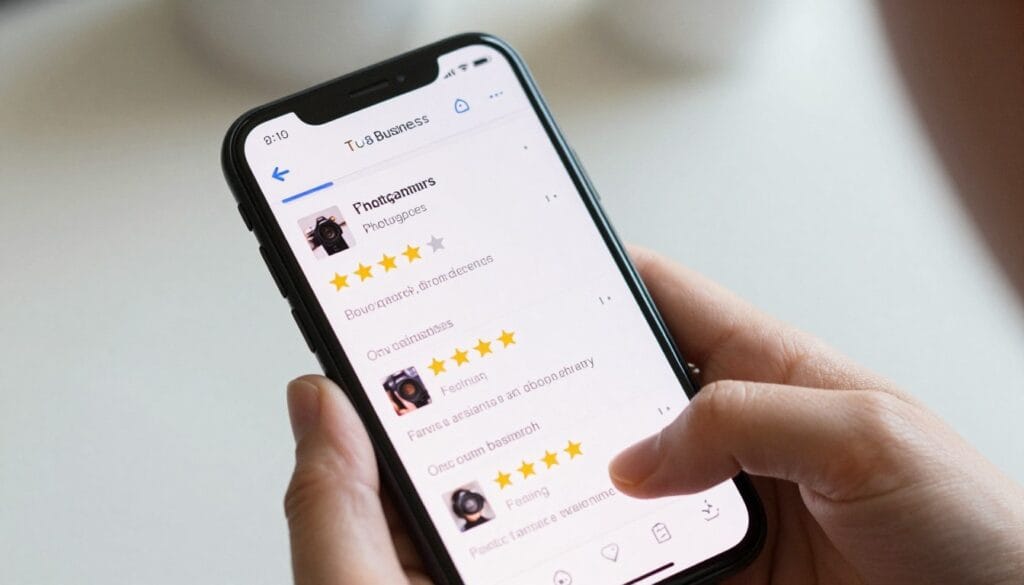
Reviews are social proof that you deliver excellent service. They’re also one of the strongest ranking factors in local search results. More quality reviews generally means better visibility.
Potential clients read reviews before contacting photographers. A profile with dozens of five-star reviews converts significantly better than one with just a few reviews, even when the photography quality is similar.
Getting More Client Reviews
The best time to request a review is when clients are happiest with your work. This typically happens right after they receive their final gallery and see all their beautiful images together.
Make requesting reviews part of your workflow. Send a friendly email thanking them for their business and including a direct link to leave a review on your Google Business Profile.
The review link makes the process effortless. Without it, clients need to search for your business and figure out how to leave a review themselves. That extra friction reduces response rates dramatically.
Personalize your review requests. A generic “please leave a review” gets ignored. Reference specific moments from their session and express genuine appreciation for their business.
Never offer incentives for reviews. Google prohibits businesses from paying for or incentivizing reviews. Violations can result in review removal or even profile suspension.
Respond to every review you receive. Thank clients for positive reviews and address concerns in negative reviews professionally. Your responses show future clients how you handle feedback.
Handling Negative Reviews Professionally
Negative reviews happen to every business eventually. How you respond matters more than the review itself. A thoughtful, professional response can actually strengthen your reputation.
Respond quickly but not impulsively. Take time to craft a measured response that addresses the concern without getting defensive. Future clients will read your reply and judge your professionalism accordingly.
Acknowledge the client’s experience and apologize for any genuine shortcomings. Even if you disagree with their perspective, validating their feelings shows empathy and professionalism.
Offer to resolve the issue offline. Provide contact information and invite them to discuss the matter privately. This shows potential clients you take concerns seriously and work toward solutions.
Never argue publicly with a reviewer. Defensive or aggressive responses make you look unprofessional and discourage other potential clients from working with you.
Using Posts to Stay Visible in Local Search Results
Google Business posts work similarly to social media updates. They appear directly on your profile and in search results, giving you another way to engage potential clients and improve visibility.
Posts show Google your business is active and engaged. Regular posting correlates with better rankings in local search results. Profiles that post weekly typically outrank similar profiles that rarely post.
Want more on the Photography Business? Visit https://photography-business-tips.com/
Types of Posts That Engage Potential Clients
What’s New posts share recent updates about your business. Use these to announce new services, showcase recent sessions, or share photography tips. Keep them focused on value for your audience.
Event posts promote upcoming mini sessions, studio open houses, or special booking opportunities. These posts include event details, dates, and registration information all in one place.
Offer posts highlight limited-time promotions or seasonal pricing. If you’re running a holiday special or discounted summer sessions, create an offer post to maximize visibility.
Product posts can showcase photography packages or specific services. While less common for service businesses, they work well for photographers selling prints or albums.

Creating Posts That Drive Engagement
Use high-quality images in every post. Your posts compete for attention with other content in search results. Eye-catching photos stop scrollers and encourage clicks.
Keep text concise and scannable. Most people skim posts quickly on mobile devices. Lead with your main point and keep descriptions under 200 words for best engagement.
Include a clear call to action. Every post should tell people what to do next, whether that’s booking a session, visiting your website, or calling for more information.
Post consistently rather than sporadically. Weekly posts perform better than monthly marathons followed by silence. Consistency signals active engagement to both Google and potential clients.
Experiment with posting times. Pay attention to when your posts get the most engagement and schedule future posts accordingly. Many photographers find weekend mornings work well for their audience.
Understanding Your Profile Insights and Analytics
Google provides free analytics showing exactly how people find and interact with your business profile. These insights help you understand what’s working and where to focus improvement efforts.
Key Metrics to Monitor
Search queries show the exact terms people used before finding your profile. This data reveals whether you’re appearing for the searches you want and helps identify new keyword opportunities.
Views track how many people saw your profile in search results versus on Google Maps. High search views with low clicks suggest your profile needs better photos or more reviews.
Actions measure what people do after viewing your profile. The most common actions are website visits, direction requests, and phone calls. Track which actions matter most for your business.
Phone calls from your profile indicate highly motivated potential clients. If you’re getting views but few calls, your profile might be attracting the wrong audience or missing key information.
Direction requests show people planning to visit your studio. High direction requests with low conversions might indicate problems with your physical location or parking situation.
Photo views reveal which images attract the most attention. Use this data to understand what type of content resonates with your audience and post more of it.
Using Data to Improve Performance
Compare your profile views to competitor profiles in your area. While you can’t see their exact numbers, you can estimate relative performance and identify areas where competitors might be stronger.
Track changes after making profile updates. Did adding new photos increase profile views? Did updating your business description improve conversion rates? Data reveals what actually works.
Monitor seasonal trends in searches and engagement. Most photographers see booking inquiries surge during engagement season or before holidays. Anticipate these patterns and prepare accordingly.
Set monthly goals based on your insights data. Aim to increase profile views by 10 percent or double your direction requests. Specific goals make improvement measurable and achievable.
Advanced Local SEO Strategies for Photographers
Once your basic profile is optimized, these advanced strategies can give you an edge over competitors who stop at the fundamentals.
Building Citation Consistency
Citations are mentions of your business name, address, and phone number on other websites. Consistent citations across directories strengthen your local search rankings.
List your photography business on relevant directories like wedding planning sites, local business directories, and photography association websites. Each accurate citation reinforces your location and legitimacy.
Ensure your information matches exactly across all platforms. Even small variations like “Street” versus “St.” can confuse Google and weaken your local search authority.
Connecting Social Media to Your Profile
Link your social media accounts to your Google Business Profile. This integration helps Google verify your business and provides potential clients multiple ways to explore your work.
Active social media presence supports your local search rankings indirectly. While social media signals aren’t direct ranking factors, engagement and brand mentions contribute to overall online authority.
Share your Google Business Profile link on social media occasionally. Encourage followers to leave reviews or check your profile for booking information. Cross-platform promotion amplifies your reach.
Implementing a Local Content Strategy
Create location-specific content on your website that supports your Google Business Profile. Blog posts about local wedding venues, portrait locations, or area events establish local relevance.
Mention neighborhoods, landmarks, and local businesses in your content naturally. This geographic specificity helps Google understand exactly where you serve clients.
Link back to your Google Business Profile from your website. This connection reinforces the relationship between your profile and website in Google’s understanding of your business.
Quick Wins
- Complete every profile section
- Add 20+ high-quality photos
- Post weekly updates
- Respond to all reviews within 24 hours
- Update business hours for holidays
Medium-Term Improvements
- Collect 30+ client reviews
- Build directory citations
- Create location-specific content
- Add video to your profile
- Monitor and act on insights data
Long-Term Strategy
- Maintain consistent posting schedule
- Build ongoing review generation
- Expand service area strategically
- Develop local partnerships
- Track and improve conversion rates
Common Google Business Profile Mistakes Photographers Make
Even experienced photographers make preventable errors that hurt their local search visibility. Avoiding these mistakes keeps your profile performing at its best.

Incomplete or Inconsistent Information
Leaving sections blank signals to Google that your business might not be legitimate or active. Every empty field is a missed opportunity to provide relevant information to potential clients.
Inconsistent business information across platforms confuses Google and potential clients. Your phone number, address, and business name should match exactly everywhere they appear online.
Outdated hours frustrate clients and waste your time. Someone who drives to your studio during listed hours only to find you closed won’t become a client and might leave a negative review.
Poor Quality or Irrelevant Photos
Using low-resolution images on your photography business profile is like a chef serving poorly plated food. Your photos represent your professional capabilities, so they must showcase your best work.
Stock photos or images from other photographers damage credibility. Savvy clients recognize stock imagery, and some might even reverse-image-search your photos. Only use your own work.
Too few photos limit engagement. Profiles with 100+ photos typically perform better than those with a dozen images. More content gives potential clients more reasons to explore and engage.
Ignoring Reviews and Messages
Unresponsded reviews send a message that you don’t value client feedback. Future clients read reviews and your responses, forming opinions about your professionalism and customer service.
Slow response times to messages lose bookings. When potential clients message multiple photographers, the first to respond often gets the booking. Enable notifications and reply promptly.
Neglecting Regular Updates
Inactive profiles gradually lose visibility in search results. Google favors businesses that demonstrate consistent engagement through posts, photo updates, and review responses.
Seasonal relevance matters. If your last post shows Christmas photos in July, it signals neglect. Keep content current and relevant to the current season or time of year.
Profile Health Checklist
Use this monthly checklist to maintain profile performance:
- Business information is accurate and complete
- Hours are current including holiday closures
- At least 4 posts from the past month
- All reviews responded to within one week
- New photos added in past 30 days
- Profile insights reviewed and acted upon
- No spam or inappropriate content reported
- Website link working and leading to correct page
Monthly Maintenance Tasks
Set aside thirty minutes monthly for these essential tasks:
- Review and respond to any new reviews
- Upload 5-10 recent session photos
- Create and publish 4 weekly posts
- Check business information for accuracy
- Review insights data for trends
- Update hours for upcoming holidays
- Respond to any pending messages
- Compare performance to previous month
Quarterly Strategy Review
Every three months, evaluate overall performance:
- Analyze which services get most inquiries
- Identify top-performing photos and content
- Review search terms bringing traffic
- Compare rankings to local competitors
- Adjust categories if services have shifted
- Update business description if needed
- Refresh cover photo with seasonal work
- Set goals for next quarter
Annual Deep Audit
Once yearly, conduct a comprehensive profile audit:
- Complete competitor analysis of top 5 local photographers
- Review all photos and remove dated or poor-quality images
- Analyze year-over-year insights trends
- Update service areas if you’ve expanded
- Verify all directory citations are accurate
- Refresh entire business description
- Implement new features Google has added
- Plan content strategy for coming year
Integrating Your Google Business Profile Into Your Marketing Strategy
Your Google Business Profile shouldn’t exist in isolation. It works best as part of a comprehensive marketing strategy that includes your website, social media, and other marketing channels.
Connecting Your Website and Profile
Add a “Find Us on Google” section to your website footer. Link directly to your Google Business Profile so website visitors can easily read reviews and save your business information.
Embed a Google Map showing your studio location on your contact page. This visual element helps clients find you and reinforces your local presence to search engines.
Include review widgets on your website showcasing recent Google reviews. This social proof converts website visitors while also driving more people to leave reviews on your profile.
Cross-Promoting Between Platforms
Share your Google Business posts on social media platforms. This content repurposing maximizes the value of each piece of content you create while maintaining consistent messaging.
Include your Google Business link in email signatures and newsletter communications. Every client touchpoint is an opportunity to drive engagement with your profile.
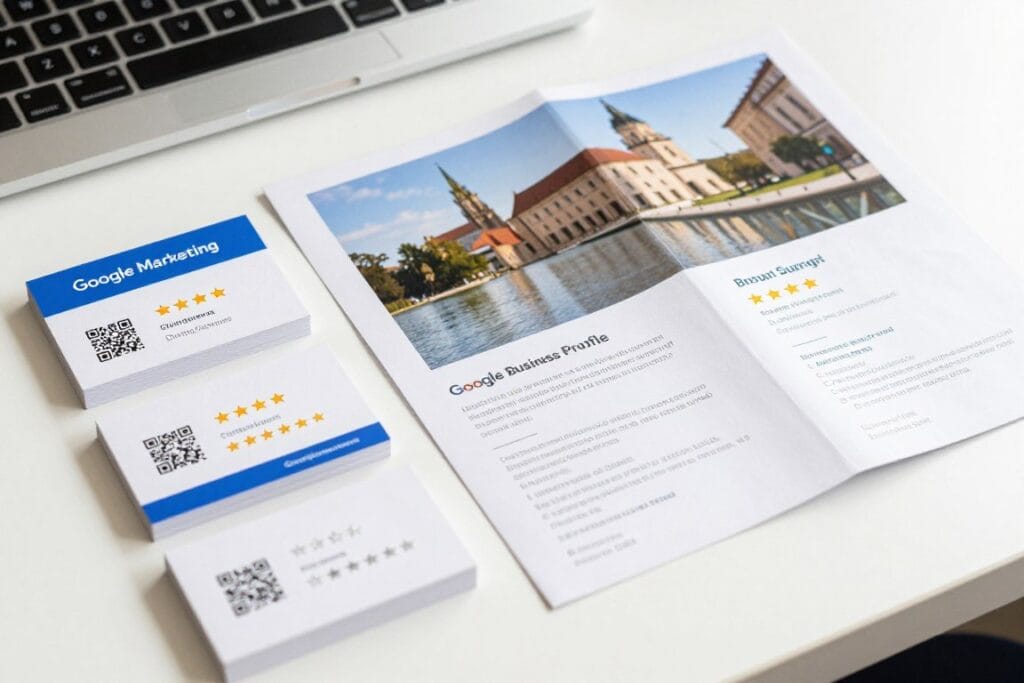
Reference your Google reviews in marketing materials. A line like “Rated 4.9 stars by over 100 happy clients on Google” adds credibility to brochures, business cards, and advertisements.
Using Your Profile in Client Communications
Include your Google Business link in booking confirmations. This reminds clients where to find your address, parking information, and studio details before their session.
Add your review link to post-session emails when delivering galleries. Clients who just received beautiful photos are your most motivated reviewers, so make leaving a review effortless.
Create a QR code linking to your Google Business Profile. Print this on business cards, studio signage, or display materials. Clients can scan and save your information instantly.
Photography Studio Tips for Better Local Visibility
Your physical studio or the way you present your service area directly impacts your Google Business Profile effectiveness and local search performance.
Studio Setup That Supports Your Profile
- Display your Google Business Profile QR code prominently in your studio entrance
- Keep business cards with your Google review link at the reception desk
- Create an Instagram-worthy spot in your studio and tag your location when clients post photos
- Ensure your studio signage matches your Google Business name exactly
- Maintain a guest book and include a request to leave a Google review
- If you work from home, clearly define your service area to match local search patterns
Photography Tips That Also Boost Your Online Presence
Content Creation Tips
- Shoot behind-the-scenes content during every session to use in Google Business posts
- Capture client reactions when showing photos - authentic moments make great profile content
- Photograph your studio or favorite locations for location-based posts
- Create seasonal mini-session setups worth photographing for promotional posts
- Document your process from consultation to delivery for educational content
Client Experience Tips
- End each session by mentioning you’d appreciate a review of their experience
- Create memorable moments clients will want to share online with location tags
- Provide exceptional service that naturally generates positive word-of-mouth
- Follow up promptly after sessions to maintain enthusiasm when requesting reviews
- Make the review process easy by sending direct links rather than instructions
Share This Guide With Fellow Photographers
Copy and send this message to photographer friends:
“Hey! I just read this comprehensive guide about setting up a Google Business Profile for photographers. It covers everything from initial setup to advanced local SEO strategies. Really helpful for getting found in ‘photographer near me’ searches. Thought you might find it useful too: [article link]”
Taking Your Local SEO Beyond Google Business Profile
Your Google Business Profile is foundational, but it works best alongside other local SEO strategies that reinforce your visibility across multiple search touchpoints.
Local Directory Listings
Wedding planning websites like The Knot, WeddingWire, and Zola help engaged couples find photographers. Maintain active, complete profiles on platforms relevant to your photography specialty.
Photography-specific directories like the Professional Photographers of America directory add credibility while providing valuable backlinks to your website.
Local business directories including Yelp, Yellow Pages, and Chamber of Commerce listings strengthen your local presence and provide citation consistency.
Website Optimization for Local Search
Include location-specific pages on your website for each area you serve. A page dedicated to “Wedding Photography in [City Name]” captures local searches your Google Business Profile might miss.
Add schema markup to your website identifying your business type, location, and services. This structured data helps search engines understand and display your information correctly.
Create content about local venues, events, and landmarks. Blog posts like “Top 10 Wedding Venues in [City]” or “Best Family Photo Locations in [Area]” establish local expertise and attract local searches.
Building Local Backlinks
Partner with local wedding venues, event planners, and complementary businesses. These partnerships often result in website mentions and links that boost your local search authority.
Sponsor local events or photography workshops. Sponsorships typically include website links from event pages, adding valuable local backlinks to your link profile.
Get featured in local media or blogs. Press coverage from local publications provides high-authority backlinks and increases brand recognition in your target market.
Mobile Optimization for Photographer Searches
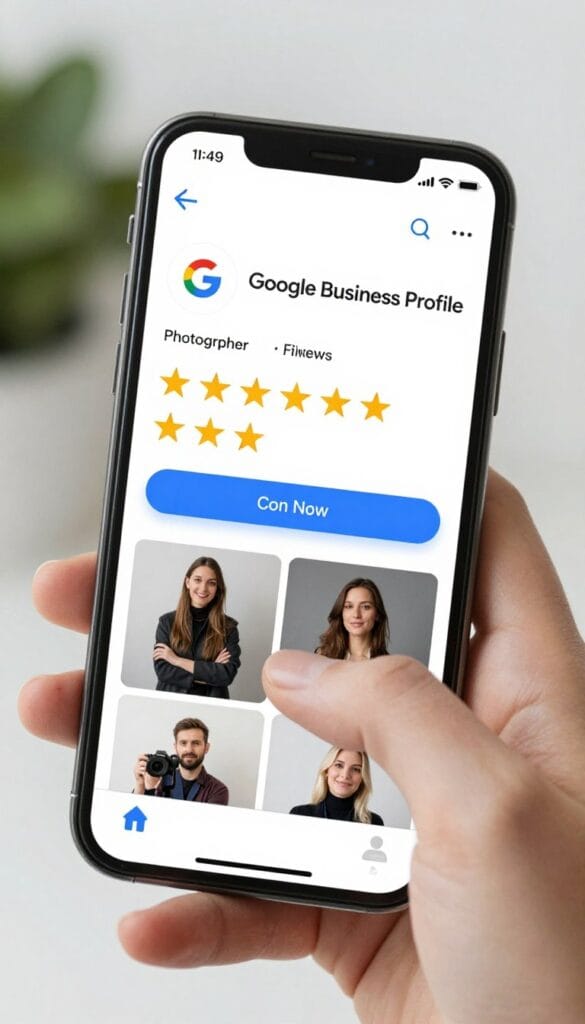
Most people search for photographers on mobile devices, often while actively looking to book services. Your Google Business Profile mobile experience directly impacts conversion rates.
Mobile-First Profile Elements
Your phone number should be prominently clickable. Mobile users want to call immediately, so make that action effortless. A single tap should connect them to you.
Ensure your photos load quickly and look sharp on mobile screens. Large file sizes slow loading times, causing potential clients to abandon your profile before seeing your work.
Test your profile on various mobile devices and screen sizes. What looks perfect on your desktop might display awkwardly on smaller screens where most potential clients view it.
Mobile User Behavior
Mobile searchers want quick answers. They’re often searching “photographer near me” while actively planning an event or immediately needing services. Your profile should facilitate fast decision-making.
Location and directions matter enormously on mobile. Make finding your studio or understanding your service area effortless. Clear address information and accurate maps convert mobile browsers into studio visitors.
Mobile users typically contact businesses immediately if interested. Enable messaging, ensure your phone number works, and respond quickly to mobile inquiries for best conversion rates.
Measuring the ROI of Your Google Business Profile
Understanding the return on investment from your Google Business Profile helps you allocate time and resources effectively across marketing channels.
Tracking Leads and Bookings
Ask every inquiry how they found you. Track whether clients discovered you through Google Search, Google Maps, or other channels. This data reveals which marketing efforts drive actual bookings.
Use unique phone numbers or tracking parameters for your Google Business Profile if possible. This isolation makes attributing leads to your profile versus other marketing channels more accurate.
Calculate the value of Google Business Profile leads compared to other sources. If these leads convert at higher rates or book more profitable packages, your profile optimization efforts have clear financial justification.
Time Investment Analysis
Track how much time you spend maintaining your profile monthly. Compare this investment to the revenue generated from profile-sourced bookings to calculate your true return.
Most photographers find Google Business Profile maintenance requires 2-4 hours monthly for posting, photo updates, and review management. This modest investment typically returns 10-20x in booking value.
Consider automation tools for scheduling posts or review request emails. Time saved through automation can be redirected to client work while maintaining consistent profile engagement.
Staying Current With Google Business Profile Changes
Google regularly updates Business Profile features, policies, and best practices. Staying informed ensures you maintain optimal performance as the platform evolves.
Following Google Updates
Google’s Business Profile Help Center announces new features and policy changes. Check this resource quarterly to learn about new opportunities or required adjustments to your profile.
Follow local SEO experts and photography business educators who track Google Business Profile updates. They often explain changes in practical terms and provide implementation guidance.
Join photography business communities where members share profile optimization tips and experiences. Peer learning reveals real-world strategies that actually work for photographers specifically.
Adapting to Algorithm Changes
Google’s local search algorithm updates periodically, sometimes shifting ranking factors or how profiles display in results. Monitor your performance metrics to detect when changes affect your visibility.
If you notice sudden ranking drops or traffic changes, research recent Google updates. Understanding what changed helps you adapt your strategy rather than guessing why performance shifted.
Focus on sustainable, white-hat optimization strategies rather than shortcuts or tricks. Profiles built on genuine quality and engagement weather algorithm updates better than those relying on loopholes.
Looking to strengthen other aspects of your photography business? The Photography Business Tips website offers resources covering everything from pricing strategies to client management systems. Whether you’re refining your workflow or exploring new revenue streams, there are numerous photography categories to choose from that complement your local SEO efforts.
Frequently Asked Questions
How long does it take to see results from optimizing my Google Business Profile?
Most photographers notice increased visibility within 2-4 weeks of completing and optimizing their profile. However, several factors affect timing. If you’re in a competitive market with many established photographers, building momentum takes longer than in areas with fewer competitors. Verification alone takes 5-7 days, then Google needs time to index your content and evaluate your profile quality. Consistent posting, regular photo updates, and accumulating reviews accelerate results. Some photographers see booking inquiries within days, while others need 2-3 months to build significant traction. The key is consistency rather than expecting overnight transformation.
Do I need a physical studio address for my Google Business Profile?
No, photographers who travel to clients can create a service-area business profile without displaying a physical address publicly. During setup, you’ll indicate that you serve customers at their locations and define your service area by city, zip code, or radius. Your actual business address is still required for verification purposes, but Google won’t display it publicly on your profile. This works perfectly for photographers who shoot on-location or work from home but prefer not to publish their home address. You’ll still appear in local search results for your defined service areas.
How many photos should I upload to my Google Business Profile?
Aim for at least 50-100 high-quality photos initially, then add new images weekly. Google’s data shows that businesses with more photos receive more clicks and direction requests than those with fewer images. For photographers specifically, your visual content is your strongest selling point, so more is genuinely better as long as quality remains high. Include variety - different session types, lighting conditions, locations, and subjects. Remove outdated or lower-quality images periodically to keep your gallery fresh and representative of your current work. Many successful photographers maintain 200-300 images on their profiles, updating regularly with recent sessions.
Can I have multiple Google Business Profiles for different photography specialties?
Only if you have genuinely separate business entities or physical locations. Creating multiple profiles for the same business with the same address violates Google’s guidelines and can result in suspension of all profiles. Instead, use your primary category and additional categories to cover multiple specialties. For example, select “Wedding Photographer” as primary and add “Portrait Photographer” and “Event Photographer” as additional categories. If you operate two completely separate businesses with different names, addresses, and branding, then separate profiles are appropriate. But splitting one business into multiple profiles purely for SEO purposes will likely backfire.
What should I do if someone created a Google Business Profile for my photography business without my permission?
This happens when Google automatically generates listings from web data or when previous business owners created profiles. Search for your business name on Google, and if a listing exists, click “Claim this business” or “Own this business?” Follow the verification process to take control. You’ll need to verify ownership through postcard, phone, or email depending on what Google offers for your specific listing. Once verified, you can update all information to ensure accuracy. If you encounter issues claiming the profile or someone else has already claimed it fraudulently, use Google’s support channels to report the problem and prove legitimate ownership through documentation.
How important are Google Business Profile reviews compared to reviews on wedding planning websites?
Both matter, but Google reviews often carry more weight for general local search visibility. When someone searches “photographer near me” on Google, they’ll see Google reviews first. However, wedding planning sites like The Knot or WeddingWire are crucial for couples specifically researching wedding vendors. The best strategy is collecting reviews on both platforms. After sessions, provide clients with both your Google review link and relevant industry platform links. Many photographers find that Google reviews drive more general portrait and family photography inquiries, while wedding-specific platform reviews attract more engaged couples. Diversifying your review presence across platforms maximizes overall visibility and credibility.
Should I respond to every review, even short ones that just say “Great photographer”?
Yes, respond to every single review regardless of length or detail. Thanking clients for even brief reviews shows appreciation and demonstrates active engagement with feedback. Your response doesn’t need to be long - a simple “Thank you so much for taking time to share your experience! It was wonderful working with you” is perfectly appropriate for brief reviews. The consistency of responding matters more than response length. Future clients who read reviews pay attention to whether you respond and how you handle both positive and negative feedback. Unresponded reviews, even positive ones, can signal neglect or lack of client appreciation.
Can I delete or hide negative reviews on my Google Business Profile?
You cannot delete legitimate reviews, but you can flag reviews that violate Google’s policies for potential removal. Reviews containing hate speech, fake content, conflicts of interest, or irrelevant information may qualify for removal if Google agrees. To flag a review, click the three dots next to it and select “Flag as inappropriate.” However, genuine negative reviews from actual clients will not be removed even if they’re frustrating or unfair. Your only recourse is responding professionally and publicly to address concerns. A thoughtful response to a negative review often strengthens your reputation more than having only perfect reviews, as it demonstrates how you handle problems professionally.
Your Next Steps to Local Search Visibility
Setting up your google business profile for photographers isn’t complicated, but it does require attention to detail and consistent maintenance. The photographers appearing at the top of “photographer near me” searches aren’t necessarily the most talented. They’re the ones who invested time optimizing their profiles properly.
Start with verification if you haven’t already. While waiting for your postcard, complete every section of your profile thoroughly. Add your best photos, write a compelling description, and ensure all information is accurate.
Once verified, focus on generating reviews. Reach out to recent happy clients with direct review links. Five reviews are good, twenty is better, fifty puts you ahead of most competitors.
Commit to posting weekly. It takes ten minutes to share a recent photo with a caption. This consistency signals active engagement to Google and keeps your profile appearing in front of potential clients.

Monitor your insights monthly. Track which searches bring people to your profile, what actions they take, and how your visibility changes over time. This data guides your optimization efforts.
Remember, local SEO for photographers is a marathon, not a sprint. Small consistent efforts compound over months into significant visibility improvements. The photographer who posts weekly for a year will outrank the one who posts daily for a month then disappears.
Your Google Business Profile works for you 24 hours a day. While you’re shooting sessions, editing photos, or sleeping, it’s displaying your work to potential clients actively searching for photographers. That persistent visibility justifies the time investment required to maintain it properly.
Most photographers overthink this process. Start simple, stay consistent, and refine as you learn what works for your specific market and services. The photographers succeeding with local search aren’t doing anything magical. They’re just showing up consistently in the place their clients are looking.
References
- Google Business Profile Help Center
- BrightLocal Local Consumer Review Survey
- Moz Local Search Ranking Factors
- Search Engine Journal
- Professional Photographers of America
Stay focused,
Ray Baker